A 1 GB VPS is a good entry-level choice for lightweight workloads, testing, small personal projects and services that do not need much memory. If you choose fast NVMe storage and a modern CPU, a small VPS can feel responsive for the right use case. The key is to know where 1 GB RAM is enough and where it becomes a bottleneck.
If you want a low-cost VPS for a simple website, a VPN, a small bot or a lightweight Linux environment, 1 GB RAM can be enough. If you expect traffic growth, heavier control panels or multiple services running at the same time, you should usually start from 2 GB RAM.
1 GB RAM vs 1 Gbps: memory and network speed explained
1 GB RAM describes the memory available to the operating system and running applications. 1 Gbps describes a network port speed of one gigabit per second. These are separate specifications: a VPS can have 1 GB of RAM and a 1 Gbps port, and increasing RAM does not automatically increase network speed.
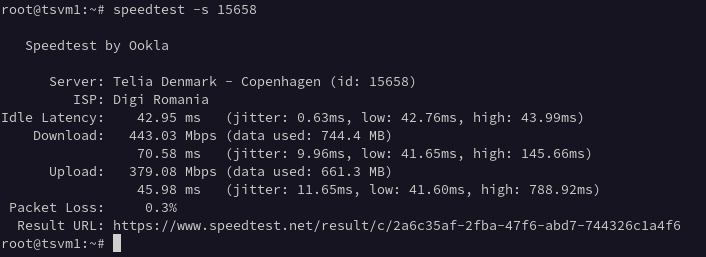
If you are comparing a 1 GB VPS with a 1 Gbps VPS, check both the memory allocation and the network terms. RAM affects how many applications and background services fit in memory. Network performance affects transfers and depends on the route, the remote server, contention and protocol overhead. A port specification is not a guarantee of sustained throughput.
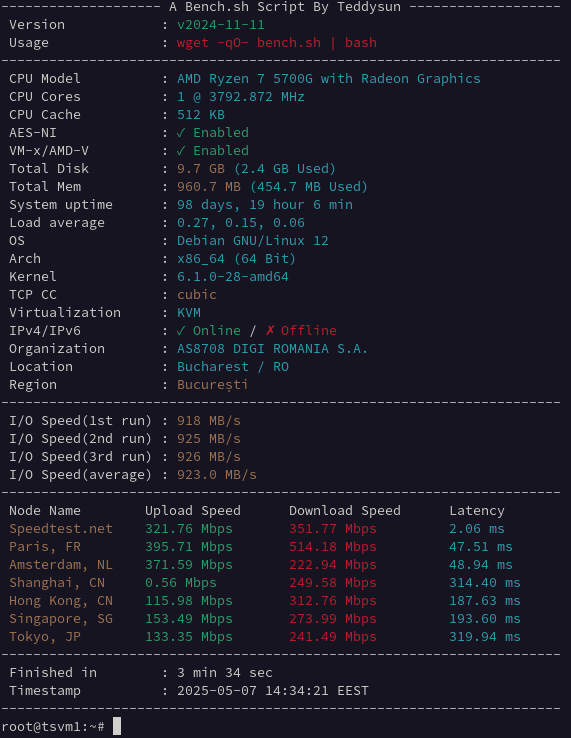
For a small website or bot, choose RAM for the application’s working set. For a VPN or file-transfer workload, also check CPU capacity, the traffic policy and measured network performance. See our VPS benchmarks for measurement context.
Plan context: 1 GB vs 2 GB vs 4 GB NVMe VPS
| Plan | vCPU | RAM | NVMe | Network | From | |
|---|---|---|---|---|---|---|
| 1 GB VPS | 1 vCPU | 1 GB | 10 GB | 1 Gbps, IPv4 + IPv6 | 13.10 RON/mo (about €2.49) | Order 1 GB VPS |
| 2 GB VPS | 2 vCPU | 2 GB | 20 GB | 1 Gbps, IPv4 + IPv6 | 18.30 RON/mo (about €3.48) | Order 2 GB VPS |
| 4 GB VPS | 4 vCPU | 4 GB | 40 GB | 1 Gbps, IPv4 + IPv6 | 28.70 RON/mo (about €5.45) | Order 4 GB VPS |
All plans include NVMe storage, full root access, free backup, self-service OS reinstall and instant setup. → Deploy a 1 GB NVMe VPS in Romania in minutes, or pick 2 GB / 4 GB for more headroom. Curious about real-world speed? See our NVMe VPS benchmarks.
Prices checked on 16 September 2026. Billing is in RON; EUR amounts are indicative and may change with the exchange rate. Check the linked product pages for current prices and options.
Good use cases for a 1 GB VPS
A 1 GB VPS is usually a good fit for:
- small static websites
- lightweight WordPress installs with caching
- personal VPN servers
- Discord bots, Telegram bots or simple automation
- development and testing environments
- small monitoring or proxy services
- Linux learning environments
For these workloads, the main advantages are low monthly cost, fast deployment and enough dedicated resources to run a small project reliably.
1 GB VPS use-case fit matrix
| Workload | Good fit? | Keep it lean | Move to 2 GB when… |
|---|---|---|---|
| Static site / reverse proxy | Yes | Nginx or Caddy, limited logs | You add a database or several dynamic apps |
| Personal WireGuard VPN | Yes | Monitor CPU and network, not only RAM | You add many concurrent users or inspection tools |
| Small bot or webhook | Yes | One runtime, bounded queues and logs | Workers, queues or caches run continuously |
| Monitoring agent | Yes | Short retention and modest scrape frequency | You store long-term metrics on the same VPS |
| Cached WordPress | Conditional | Light theme, few plugins, page cache and swap | It is business-critical, uncached or plugin-heavy |
| Multi-container stack | Usually no | Only one or two tiny containers | Multiple databases, workers or public services are required |
Quick check: after deployment, watch free -h, vmstat 1 and df -h. Sustained swap activity, out-of-memory kills or less than roughly 15% free disk are concrete upgrade signals.
Where a 1 GB VPS starts to struggle
A 1 GB VPS is not the best choice if you want to run:
- larger WordPress sites with many plugins
- busy ecommerce websites
- Docker stacks with several containers
- game servers with active usage
- control panels that consume a lot of RAM
- databases under constant load
In these cases, limited memory becomes the main problem. The server may start swapping, response times may increase and the experience becomes inconsistent under load.
1 GB VPS vs 2 GB VPS
If you are unsure what to choose, the practical comparison is simple.
A 1 GB VPS is better for:
- low-budget projects
- testing
- simple websites
- single-purpose services
A 2 GB VPS is better for:
- small production websites
- WordPress with more plugins
- small business services
- room for traffic growth
- more stable multitasking
If the VPS will be used for anything client-facing or revenue-related, 2 GB RAM is usually the safer starting point.
How to choose the right plan
Choose 1 GB RAM if:
- your workload is light
- you want the lowest monthly cost
- you are testing or learning
- one service is the main priority
Choose 2 GB RAM if:
- you want more headroom
- the site or app matters for your business
- you expect growth
- you want fewer performance limits
Choose 4 GB RAM if:
- you plan to run multiple services
- you need a heavier stack
- you want more room for scaling without immediate upgrades
Need help choosing?
If you are not sure whether 1 GB, 2 GB or 4 GB RAM is right for your workload, the safest approach is to match the VPS to your actual use case, not just the lowest price. A small website, bot or VPN can run well on 1 GB. For production workloads, 2 GB is often the better balance.
View available plans here:
Experiment freely: reinstall the OS in minutes
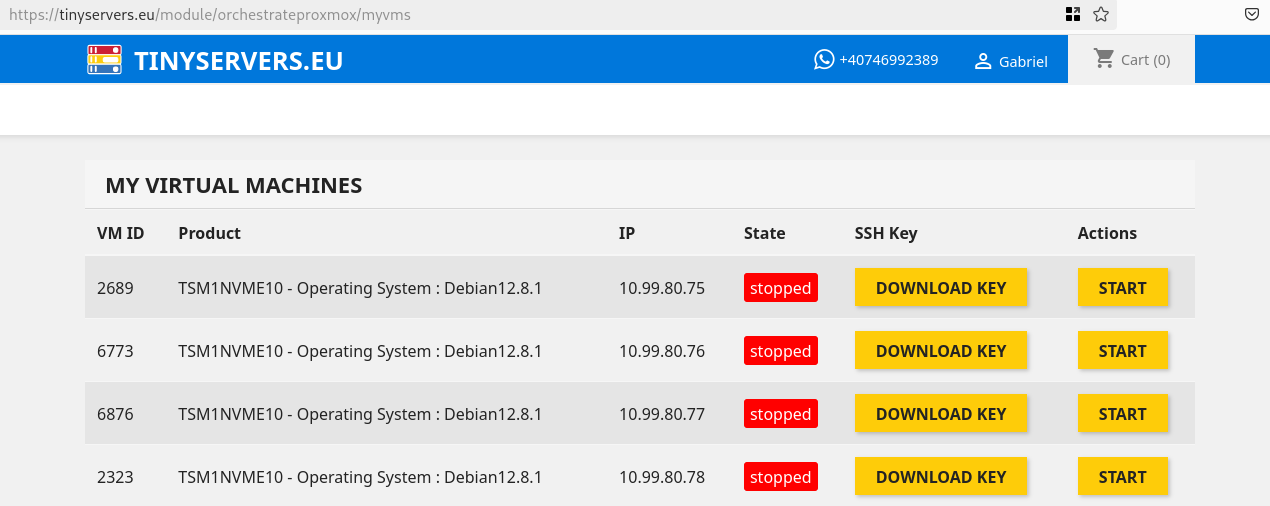
A big part of the value of a cheap 1 GB VPS is being able to experiment without fear. TinyServers now includes self-service OS reinstallation directly from the client panel: open My Virtual Machines, click Reinstall OS, pick a template — Debian 13, Ubuntu 24.04 LTS, Rocky Linux 9 or AlmaLinux 9 — and the VPS is redeployed with a fresh operating system in minutes.
- your VPS keeps the same IPv4 address after the reinstall
- a backup is taken automatically before the old system is removed
- a fresh root SSH key is generated for the new install
- no support ticket needed — the whole flow is automated
For a testing or learning VPS this changes how you work: break the system, reinstall, start clean. Try it on a 1 GB NVMe VPS from 13.10 RON/mo (about €2.49).
Quick FAQ
Is 1 GB RAM enough for WordPress?
Yes, for a small WordPress site with caching and a light theme. For heavier plugins or more traffic, 2 GB RAM is safer.
Can I run Docker on a 1 GB VPS?
Yes, but only for very small containers and simple setups. For multi-container workloads, 2 GB or 4 GB is a better choice.
Is a 1 GB VPS good for a VPN?
Yes. A small VPN server is one of the most suitable use cases for a 1 GB VPS.
Can I reinstall the operating system on my VPS?
Yes. Every TinyServers VPS supports self-service OS reinstallation from the panel: choose Debian, Ubuntu, Rocky Linux or AlmaLinux and the server is redeployed in minutes, keeping the same IP address.
When should I upgrade from 1 GB to 2 GB?
Upgrade when memory usage stays high, performance becomes inconsistent, or you start running more than one important service.
Need a low-cost NVMe VPS in Romania? Start with a 1 GB VPS for lightweight workloads or choose 2 GB RAM for more headroom and stability.
Compare the next VPS options
If your 1 GB VPS will run a public website or a small business service, check the upgrade path before choosing. The 2 GB NVMe VPS is the safer starting point for WordPress, apps with background jobs and workloads that need more memory headroom.
Next step: compare the current NVMe VPS Romania plans, including 1 GB VPS, 2 GB VPS and 4 GB VPS options.